Vx Source Detection
Identifies the vocal source in real time so the engine follows the performance, not the bleed around it.

Pure vocals for real-world performance.
Primary Vx is a real-time, low-latency AI vocal cleanup product line from WAVDSP Neural Labs. It detects and separates the human voice from background noise and stage bleed, helping speech and singing stay clear in demanding environments.
Secure payment by
macOS Only, Windows will release soon.
Behind The Engine
Primary Vx follows the voice through a focused cleanup chain: detect the source, wipe unwanted bleed, then protect the signal path before the PA starts to ring.
No IIR or FIR EQ, Dynamic EQ, or phase tuning — cleanup is handled entirely by our custom Pure AI pipeline, not traditional filters.
Identifies the vocal source in real time so the engine follows the performance, not the bleed around it.
Wipes unwanted background instruments, ambience, and bleed away from the vocal path.
Helps you push more gain before feedback, with lower risk of ringing from the PA system.
What it removes
Primary Vx is designed for vocal microphones surrounded by real world sound: loud instruments, reflections, ambience, and unwanted bleed that normally follows the voice into the mix.
Drums
Transient spill
Cymbals
Harsh high bleed
Guitar amp
Midrange wash
Bass amp
Low-end rumble
Room
Stage reflections
Reverb
Tail buildup
PA bleed
System spill
Feedback
Ringing pressure
Hear the difference
Listen to the same performance with stage bleed intact, then switch to the Primary Vx processed version. Playback is streaming-only for this page demo.
Stream-only preview. These demo files cannot be downloaded from this page.
Example audio credit: LIVE FROM THE LAB by TELEFUNKEN Elektroakustik — "Doom Flamingo - Measurements LFTL".
Training disclosure
Primary Vx was trained on datasets we recorded in-house. That includes material captured specifically for vocal separation, plus additional sessions built to train our feedback protection system—requirements that made off-the-shelf public datasets unsuitable for this product. We organize and process that audio through proprietary file formats and workflows built for our training pipeline.
Cleaner input gives the vocal more room to come forward before the system starts fighting back.
Keep speech and singing focused, even when the microphone is close to drums, amps, or PA systems.
Reduce distracting bleed at the source so the mix starts from a clearer, more usable vocal track.
How to use
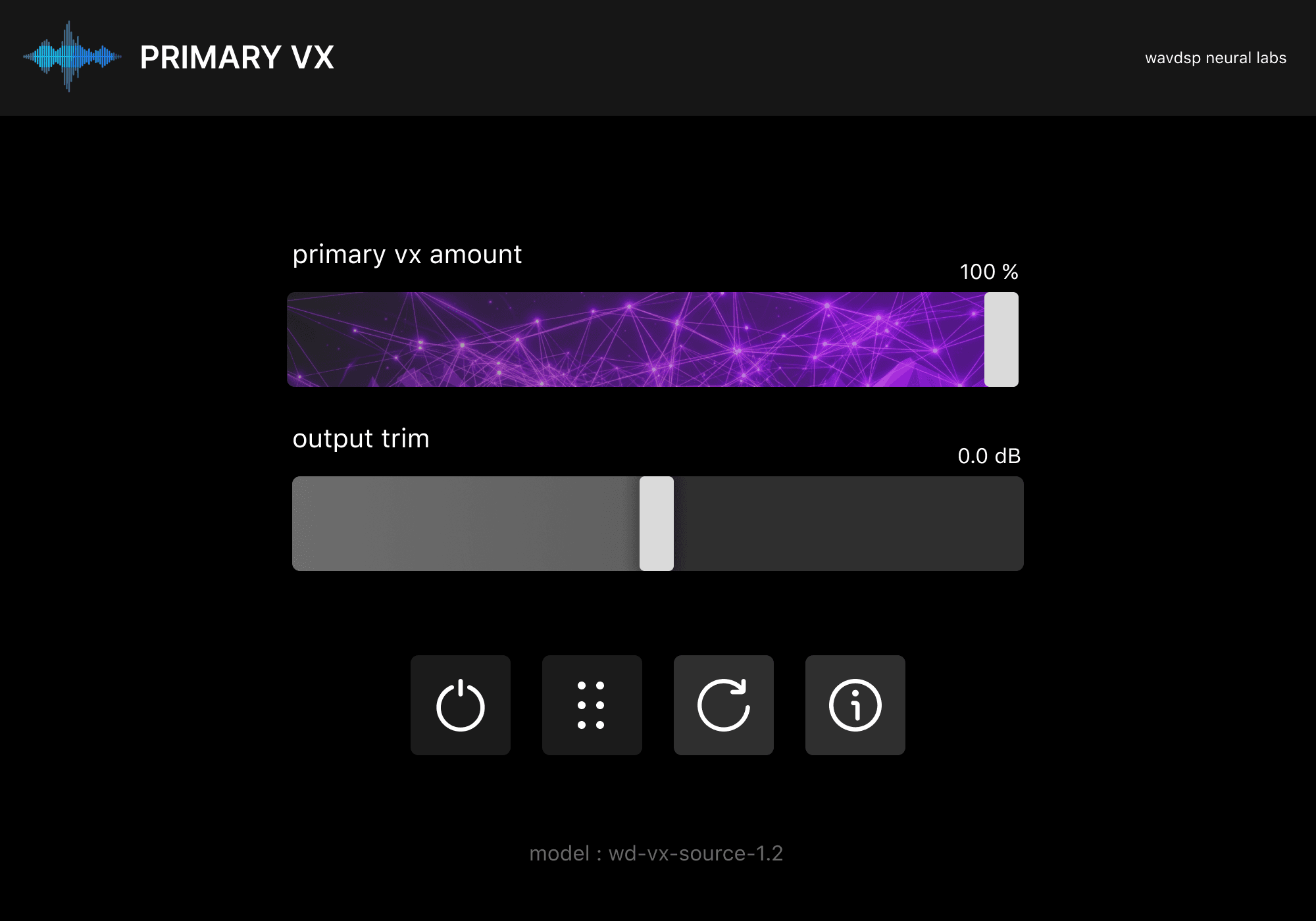
Select a point on the plugin UI to learn what each control does — from multiband processing, Primary VX Amount, and Restoration Amount to input and output trim, model selection, bypass, level meters, buffer refresh, and info settings.
Select a point on the interface to learn what each control does.
1 / 10
Opens the multiband processing panel where you can shape cleanup per frequency band — adjust thresholds, solo or bypass individual bands, and dial in band amount with the rotary controls.
Multi-Band Processing
Open the multiband panel from the Primary VX Amount control to split vocal cleanup into four regions. Each band has its own frequency range, amount, Solo, Bypass, and Trim — so you can focus processing where the bleed actually lives.
Band amount is not a separate master control. It follows the ratio set by Primary VX Amount — turn the main slider down and every band scales with it; adjust individual bands to rebalance within that overall intensity.
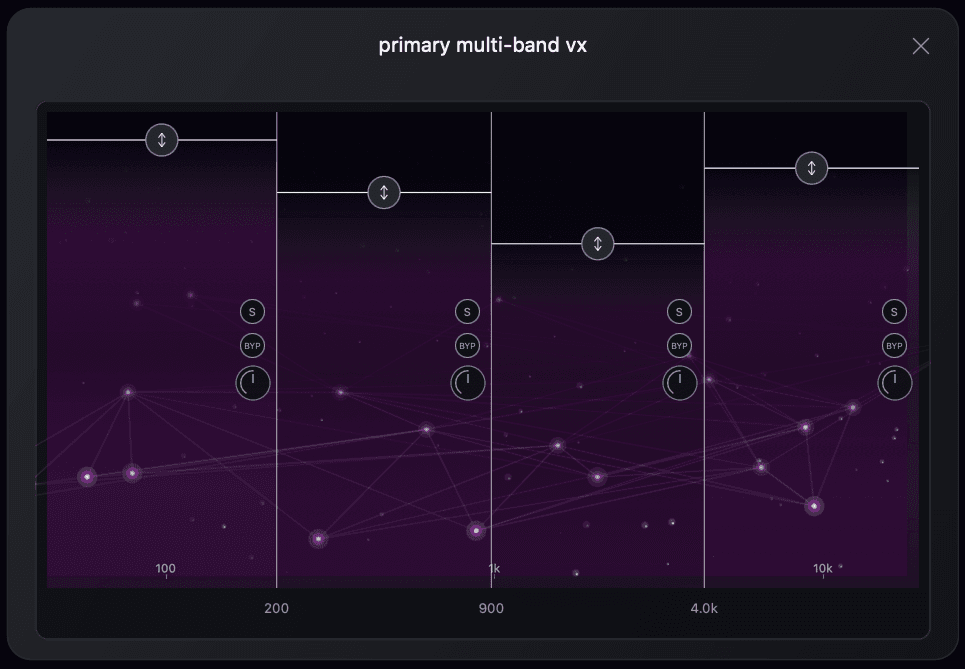
Drag each band crossover to set where the spectrum splits — shape cleanup differently across lows, low-mids, high-mids, and highs.
Dial in how much processing each band receives independently. Every band amount scales from the main Primary VX Amount ratio.
Isolate a single band to hear exactly what that region is contributing before you commit to the full multiband mix.
Take one band out of the chain while leaving the others active — useful for A/B comparisons or targeted troubleshooting.
Fine-tune output level per band so you can balance frequency regions without changing the overall Primary VX Amount setting.
Multi-Models Selection
Primary Vx ships with two neural models tuned for different live priorities. Switch between them instantly in the plugin interface to match the room, the source, and how hard you want the engine to clean.
vx-primary-1.6-precision-live
Maximum cleanup detail
Fine-grained, high-accuracy processing for the strongest noise and bleed reduction when you need the cleanest vocal path.
vx-primary-1.6-balance-live
Intelligent vocal protection
Smarter, more balanced processing that keeps the vocal intact — reducing bleed without cutting the voice too aggressively.
Choose the model you need directly in the plugin interface — no reload, no reinstall, and no restart required.
System Guideline
Primary Vx runs as a VST3 plugin inside your live host on the computer — between your interface input and output. Route the vocal through the chain below, insert Primary Vx on the vocal channel, and send the processed signal back out to FOH or monitors.
Signal flow
Microphone
Vocal microphone on stage or in the booth
Audio Interface Input
Mic preamp and analog-to-digital conversion
Computer Host · Primary Vx VST3
Live Host Application
SuperRack Performer, LiveProfessor, and other live VST3 hosts
Audio Interface Output
Back out to FOH, monitors, or broadcast
Tested Live VST3 Host Application
Labs Analysis
WAVDSP Neural Labs processed a 30-second excerpt from a live-style vocal capture. Compare waveform, RMS envelope, and time-frequency spectrograms between the noisy input and denoised output.
Labs Training
Primary Vx did not come from a general speech denoiser with a new skin. The Neural Labs team trained a vocal separation stack on material collected for one problem: keep the performance, lose the bleed, and do it inside a live-latency budget.
Source materials
2.5 TB
Licensed studio stems, multitrack rehearsals, and field captures assembled into the Primary Vx training corpus.
Active training pool
1.9 TB
After silence trimming, clipping rejection, and manual review of questionable takes.
Compute
H200 · H100 · A100
Distributed cloud GPU fleet—NVIDIA H200, H100, and A100 tiers, plus additional accelerator SKUs brought online as runs scaled.
Core model training
~1,680 GPU-hrs
Mixed-precision distributed runs for the main vocal separation network.
Fine-tuning passes
~420 GPU-hrs
Voice-activity detection and feedback-aware guard modules, trained separately.
Wall-clock schedule
12 days
Primary cloud cluster window, followed by three weeks of targeted refinement.
The work was split into curation, pre-training, fine-tuning, and export validation. We cared less about benchmark scores on clean speech and more about whether the model still behaved when the vocal was buried under real stage noise.
We built the dataset from microphone paths that actually fail in production: vocals sharing a capsule with drum spill, guitar amp wash, room reflections, and PA bleed. A large share of incoming audio was rejected—wrong mic type, clipped converters, unusable metadata, or material that did not survive listening checks.
The base separator was trained on multitrack material where isolated vocal references existed. That gave the model a stable idea of what belongs to the voice before we pushed it into messier mono captures where ground truth is harder to recover.
The second phase focused on single-mic and FOH-style sources. We deliberately overweighted difficult cases: loud stages, wedge-heavy monitoring, and rooms where the vocal never really sits alone in the recording.
Every export candidate was run through latency-bounded inference tests and held-out venue recordings that never entered training. Models that looked good offline but smeared consonants or pumped background under load were sent back for another pass.
Compute & validation
The heavy lifting ran on a distributed cloud GPU fleet—H200, H100, A100, and additional accelerator tiers scheduled as job size changed. That was not a single overnight job—the separator alone consumed roughly 1,680 GPU-hours, with another 420 GPU-hours spent on the voice-activity and feedback-protection stages that ship with the product.
In calendar time, the main training block took about 12 days of scheduled cluster time across that fleet, followed by three more weeks of smaller fine-tuning runs while we chased edge cases in cymbal bleed, amp hum, and monitor spill.
The numbers above describe the training program behind the model in Primary Vx today. They are not marketing round figures—we track ingest volume, rejected material, and GPU time because retraining a vocal product is expensive, and we need to know exactly what changed between one build and the next.
FAQ
Practical details for latency, recommended systems, host software, instances, feedback reduction, routing, licensing, and how the engine handles cleanup without traditional EQ.
Primary Vx reports low internal processing latency suitable for live FOH and other real-time vocal workflows. Values vary by sample rate, DSP mode, and buffer size — and are internal processing latency, not roundtrip latency through your host, interface, and I/O path.
Primary Vx runs on macOS 11.0 or later. We recommend Apple Silicon Macs because the engine can take advantage of Core ML and Apple Neural Engine acceleration for higher performance. Windows support is not available yet while optimization work is still in progress.
Primary Vx is currently built as an audio plugin for macOS in VST3, AU, and AAX formats, with support for both Apple Silicon and Intel Macs. A dedicated standalone version of Primary Vx is planned for the future. A Windows version is also coming soon.
We recommend hosts such as SuperRack Performer and LiveProfessor. The ideal buffer size depends on the CPU in your machine, so we recommend testing your own setup and choosing the lowest stable buffer for your workflow.
You can run as many instances as your CPU can handle reliably. Larger sessions may require a slightly higher buffer size to maintain stability.
Primary Vx can deliver impressive feedback reduction while preserving vocal quality. In many situations, it can increase gain before feedback by up to 10-20 dB while keeping background noise and bleed from breaking through the vocal path.
Primary Vx does not use any IIR or FIR EQ or filtering. The engine is built entirely on our custom Pure AI pipeline, so there is no Dynamic EQ, no phase tuning, and no traditional spectral shaping. What you hear comes entirely from the Neural Engine.
Primary Vx can be used on either a single vocal channel or a vocal group/bus. The best placement depends on the situation, the source material, and how your live or studio session is routed.
Primary Vx uses online activation through your WAVDSP account. After purchase, install the plugin and sign in with your email and password in the built-in license panel when you first open it. Activation requires an internet connection once; after that, Primary Vx works offline. Each license can be activated on one machine at a time. To move your license to another Mac, deactivate from the license panel first, then activate again on the new machine while online.
Primary Vx
Whether the voice is in front of drums, near a PA, inside a lively room, or captured in a noisy creator setup, Primary Vx helps it stay focused, intelligible, and ready for the next stage.
Secure payment by
macOS Only, Windows will release soon.